Upload two separate photos.
Add one clear photo per consenting adult. Different places, different cameras — one duo.
Create a two-photo duo dance video. Watch the choreography, upload a photo for each role, and generate your private MP4.
Create a duo video from two photos. Choose your format, review the credit estimate and submit your generation. One-time credit packs, private downloads and reference previews are available.
This is the same bound motion reference used in the studio. Reference footage, not a video generated by NEON DUO.
Silent motion preview. Music is added separately after generation; no music license is included.Upload two photos of consenting adults, choose your video settings and review the credit estimate. Submit your generation, then review and download the completed video from your account.
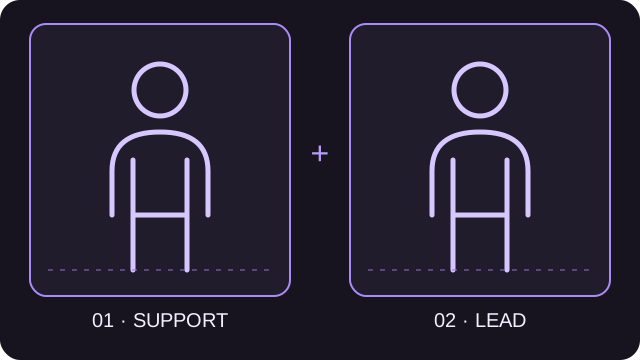
Starts behind the lead, then steps out on the left.
Opens in the foreground, mainly on the right.
One consenting adult per photo · JPG, PNG, WebP · Up to 10 MB each
Choose the background and lighting for generation. All scenes use the same dance reference. Scene styling is a direction, not an exact-match guarantee.
Check the estimate before submitting. Results can vary.
A playable reference will appear here when the configured asset is available.
Watch the opening lead and supporting dancer's entrance. This is reference footage, not your generated result.
This silent preview is for checking the two roles and timing; music is added after generation.Set the roles. Pick your format. Keep your result.
Your photos stay in the browser until you request an estimate. Uploaded inputs and completed videos belong to your private account.
Add one clear photo per consenting adult. Different places, different cameras — one duo.
Swap the roles, choose a scene direction, and set your output. Check the estimate before you create.
Confirm the estimate, submit once and follow your saved task. Download the private MP4 before its expiry.
A2O LITE is the artist; NEON is the song. An A2O LITE NEON AI dance generator reinterprets a duo performance from portraits and motion reference. NEON DUO is independent, not an official artist service.
Get to know the NEON dance ↗Video formats and delivery, with separate music and silent downloads. Reviewed 2026-10-28.
Make your photos count ↗| Current availability | One-time credit purchases and AI video generation open |
|---|---|
| Inputs | Two photos, one consenting adult per photo; JPG, PNG or WebP, up to 10 MB each |
| Output | 15-second H.264 MP4; portrait 9:16 or landscape 16:9; 480p or 720p |
| Generation credits | 20 credits at 480p or 50 credits at 720p; review the estimate before submitting |
| Audio and downloads | Separate silent and music versions when soundtrack processing succeeds; no music license included |
| Completion email | After requested music is ready; sign in to view or download |
| Storage | Private files; download before the expiry displayed with each task |
| Failure | Confirmed generation failures release reserved credits; payment refunds are a separate process |
One-time credit packs. AI video generation is open.
480p: 20 credits · 720p: 50 credits per video.
Understand the song, duo dance and photo-to-video idea, and distinguish an independent AI tool from the original artist.
02 ↗STEP BY STEPA practical two-photo workflow: choose roles, check video settings, request an estimate and find your private MP4.
03 ↗BETTER INPUTSChoose and troubleshoot images for a duo-video workflow: file formats, face visibility, framing, permissions and role assignment.
Direct answers about photos, credits, music and private downloads.
Explore the guides ↗Opted-in tasks send a completion email after requested music is ready. Sign in to the owning account to view or download; check spam if missing.
NEON video audio and sharing ↗Browsing and preparation are free. Videos cost 20 credits at 480p or 50 at 720p. Demo credits are not live entitlements.
Is a NEON AI dance generator free? ↗No. One-time packs: $9.90/50 credits, $17.90/100, $24.90/150. Purchased credits do not expire.
No guaranteed time: live-provider timing is unmeasured. Follow the saved task in My videos instead of submitting again.
Confirmed failure releases reserved credits. Uncertain submissions await review; failed delivery retries without another generation charge. Payment refunds are separate.
Refund policy ↗Sign in and open My videos. Refreshing does not create another task. Download before the expiry shown there.
A2O LITE is the artist; NEON is the song. An A2O LITE NEON AI dance generator reinterprets a duo performance from portraits and motion reference. NEON DUO is independent, not an official artist service.
What is A2O LITE NEON? ↗Create a duo video from two photos. Choose your format, review the credit estimate and submit your generation. One-time credit packs, private downloads and reference previews are available.
Upload two portraits, assign the supporting and lead roles, then choose the format. Review the estimate before submitting your generation.
How to prepare a NEON duo video ↗The workflow supplies prompts and a bound dance reference. An editor is optional for captions, cuts or licensed music.
AI dance generator or video editor? ↗Yes. Each separate image needs one consenting adult; backgrounds can differ. Live background replacement remains untested.
Use clear, evenly lit portraits, preferably knees-up or full-body. JPG, PNG or WebP: 10 MB maximum, 4096 pixels per dimension, 16 megapixels overall.
The two-photo checklist ↗Two separate uploads are required. Crop each consenting adult from a group shot yourself; there is no automatic person extraction.
Yes. Swap roles before requesting an estimate: first image supplies support, second supplies the foreground lead. Live role fidelity still needs validation.
NEON output: 15-second H.264 MP4, portrait 9:16 or landscape 16:9, 480p or 720p. Local demos are labelled NOT AI DANCE.
Configured music is added after video processing; the silent original stays available. Reference audio is not a verified official master. No music license is included.
NEON video audio and sharing ↗No. Inputs upload when you request an estimate; downloads require the owning account. Live processing shares inputs with the model provider.
Privacy policy ↗No. Only consenting adults whose images you may use. No minors, public figures, impersonation or intimate content. See the terms.
Photo rights & terms ↗Playable clips are references, not NEON DUO results. Own examples are unpublished. Commercial use requires rights to all inputs and music.
About NEON DUO ↗Two photos are a good place to start.